
Creating and Modifying Your Own Nameservers
If you prefer not to use the free Joker.com name service and instead want to use your own nameservers, you need to "register" it.
Please note: Creating nameservers (e.g., registering a hostname with an IP address to define a nameserver) only works with Joker.com if the domain used for these nameservers is also a Joker.com domain. This limitation is based on technical/registry constraints.
If you intend to use a domain from another registrar, only that registrar will be able to register the nameservers with the registry.
To register your own nameservers, please follow these steps:
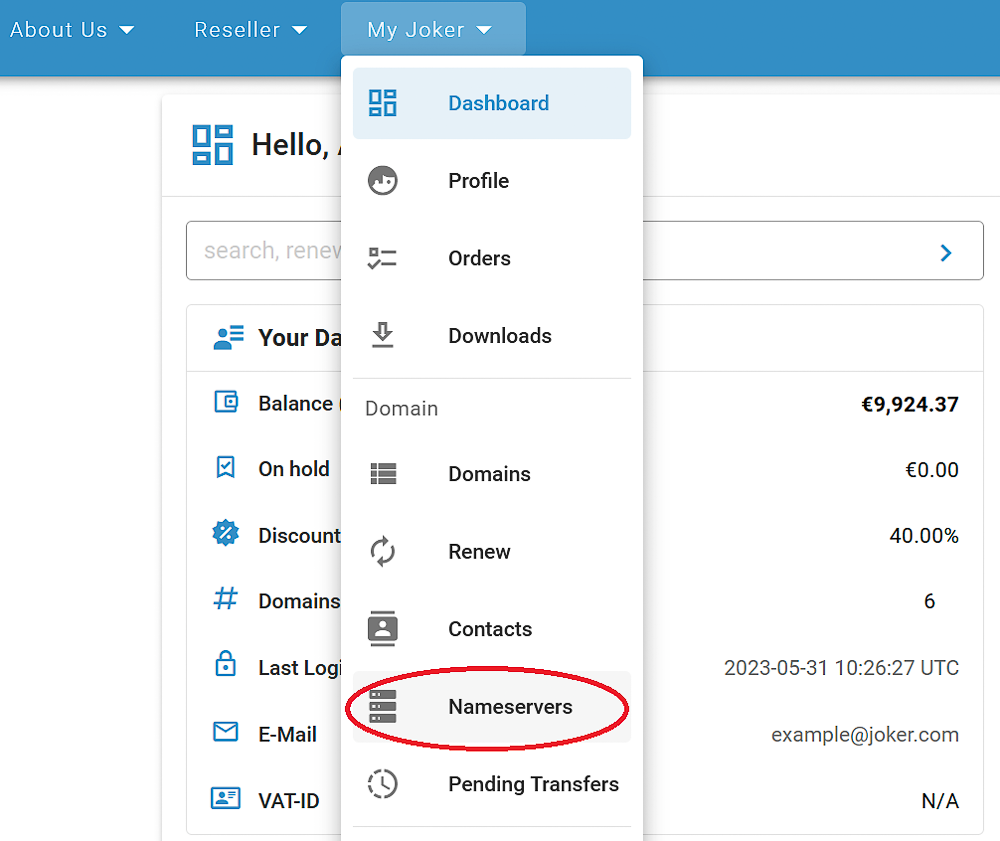
1. Choose "Nameservers" from the "My Joker" menu:
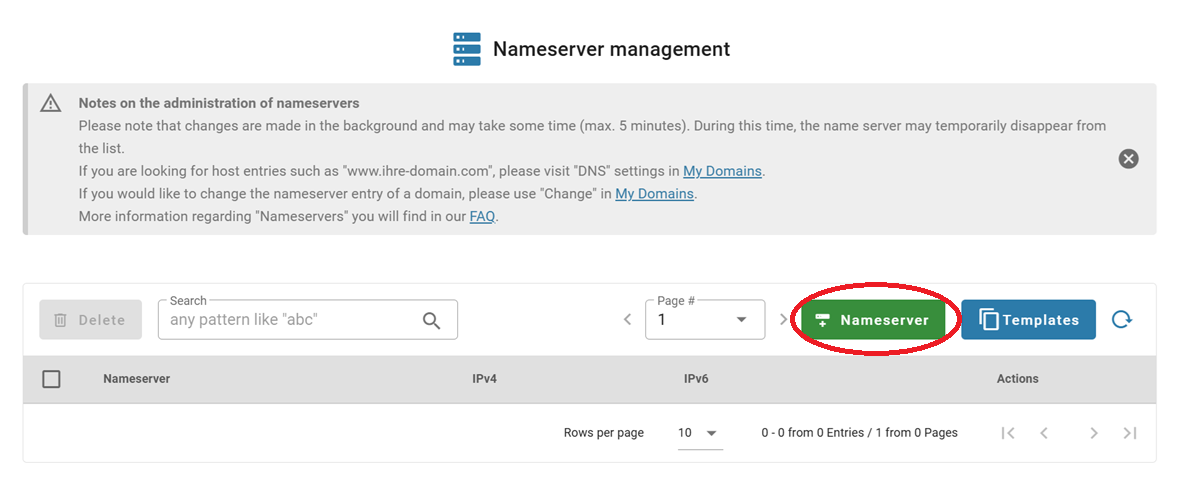
2. Click on the "Nameserver" button:
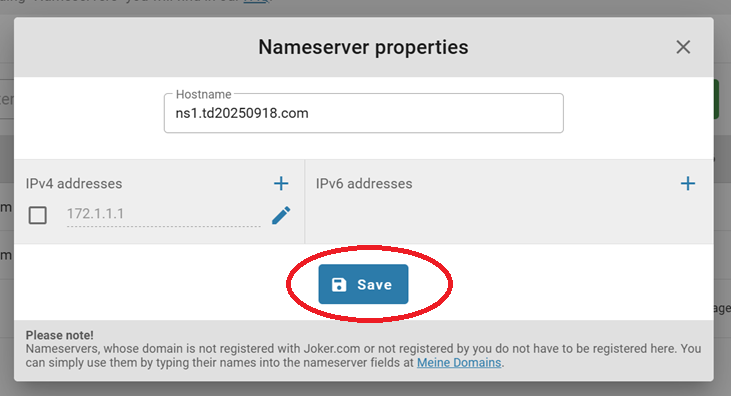
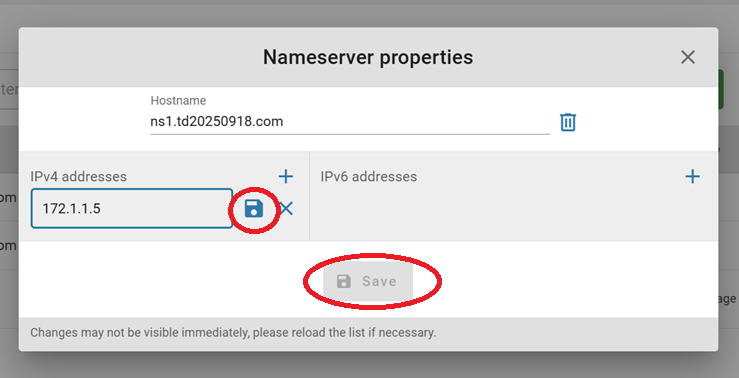
2. Add the host name and IP addresses, save them, and click on the "Save" button when it becomes active:
You're done!
Modifying Your Own Nameservers
If you want to modify the Nameserver you have previously created, you need to follow these steps:
1. Choose "Nameservers" from the "My Joker" menu:
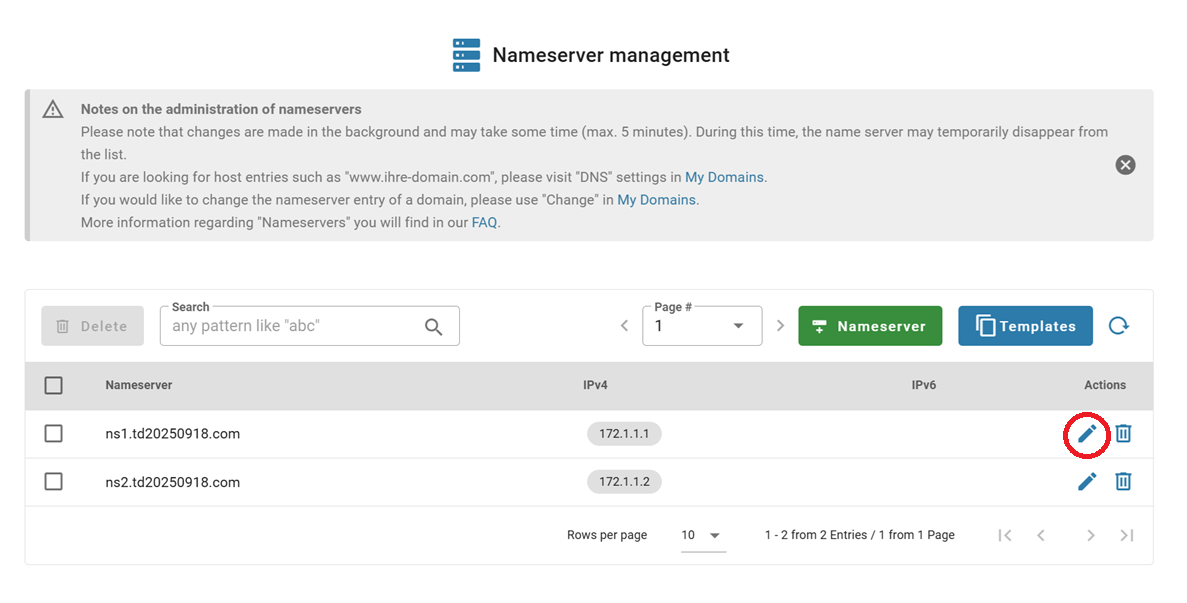
2. Search for the Nameserver you would like to modify, and click the "Edit" icon:
3. Make necessary changes, save them, then click "Save" after it activates:
After a successful change, you will receive a confirmation email.
Deleting Your Nameservers
If you want to delete one of your previously registered Nameservers, you can do this easily by following the steps below:
1. Choose "Nameservers" from the "My Joker" menu:
2. Either click on the "Delete" icon next to the nameserver you want to delete, or select multiple and click the "Delete" button:
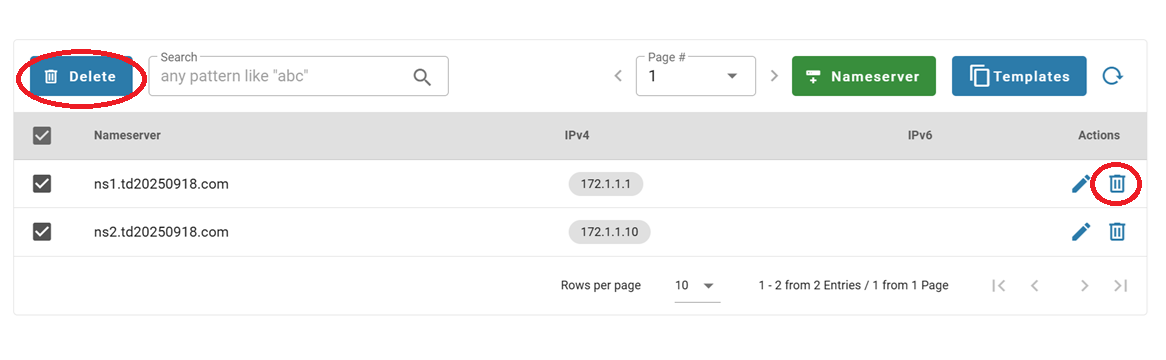
Please note: Only Nameservers that are not linked to any domain (even if they are in the RGP) can be deleted. If the selected name server is still in use, it cannot be deleted.