
Nameserver Templates
A familiar reseller feature is now available at the Joker.com interface.
Create Nameserver Templates in Joker.com
While nameserver templates have long existed in Rpanel, you can now create and manage nameserver templates directly in the Joker.com interface as well.
-
A default template based on Joker nameservers is provided.
-
You can create custom templates using your own nameservers or external ones.
-
Templates help streamline domain setup, reduce configuration errors, and speed up onboarding of new domains.
This improvement brings both interfaces in sync and ensures more flexible workflow options for our resellers.
To access the templates:
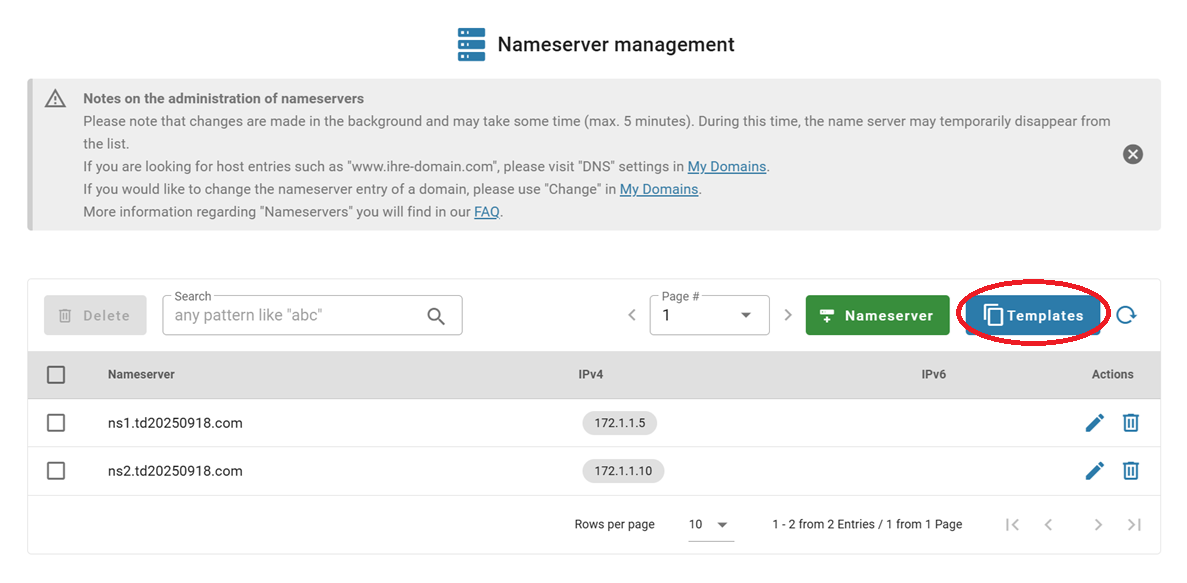
1. Go to the "Nameservers" section under the "My Joker" menu and click on the "Templates" button:
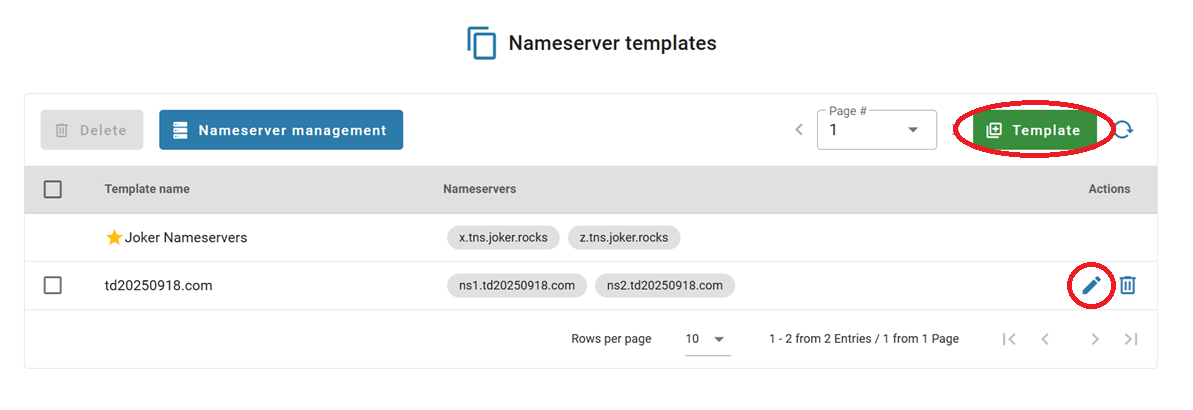
2. You can edit an existing template by clicking on the "Edit" symbol, or create a new one by clicking on the "Template" button:
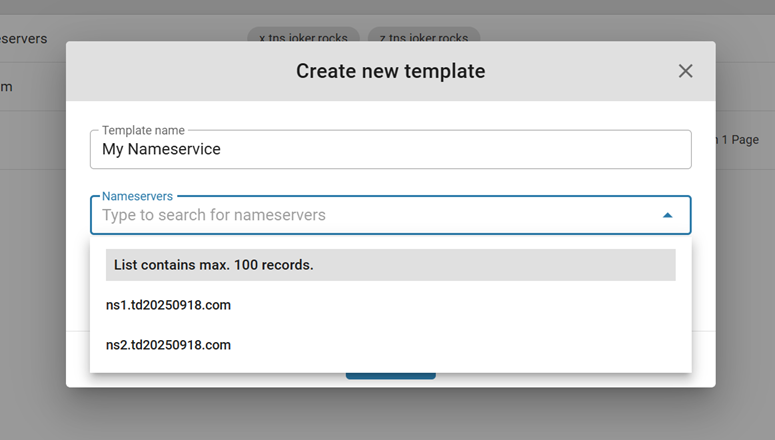
3. In the pop-up menu, you can create a template using your own, registered at Joker.com, nameservers, by choosing them from the list:
4. Or add external nameservers for your template manually:
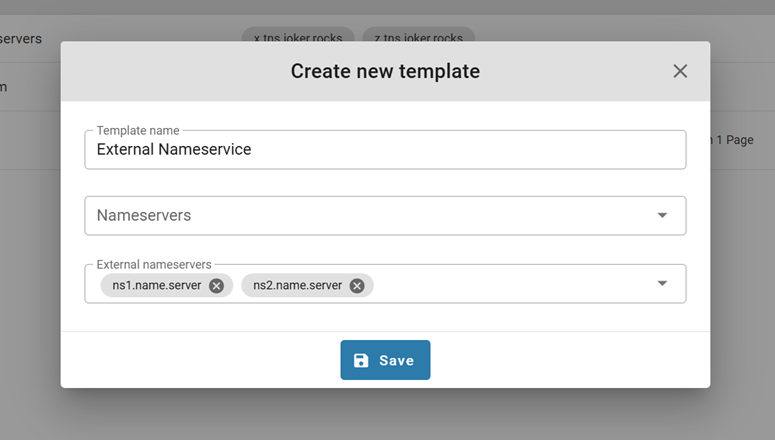
5. Click "Save", and you're done!