New Feature: Virtual Zones
Virtual Zones provide enhanced flexibility and control by allowing you to create and manage DNS zones even if a domain is not yet using Joker.com’s nameservice.
With Virtual Zones, you can:
-
Prepare DNS records in advance before switching nameservers, ensuring a smooth and uninterrupted transition.
-
Set up DNS while a domain transfer is still in progress, so the configuration is ready the moment the transfer completes.
-
Activate Joker.com nameservers instantly once your zone is fully configured - without any downtime.
This feature significantly simplifies and streamlines the process of migrating DNS to Joker.com, making transitions more reliable and secure.
Create Virtual Zone at Rpanel.io
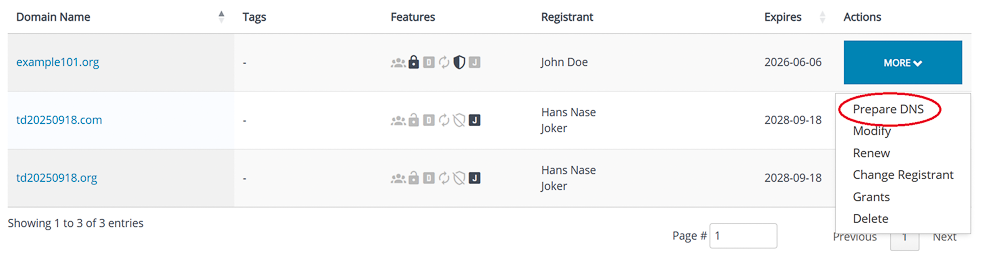
In Domain Overview, click "Prepare DNS":
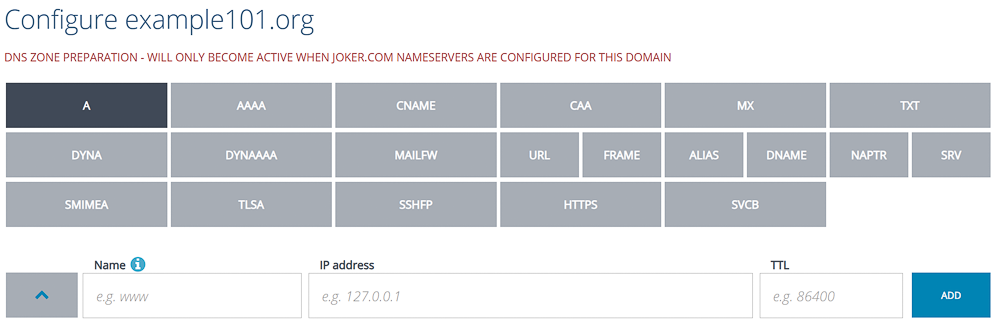
The DNS editor indicates Virtual Zone mode with an additional header:
Add your records, click "Save":
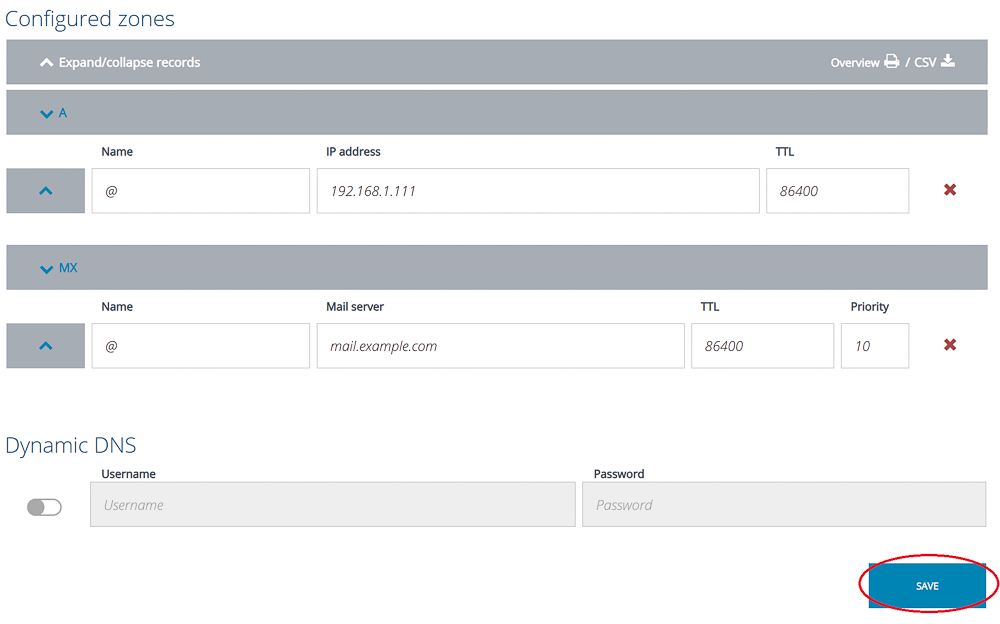
The zone is now prepared and will automatically become active as soon as you switch to the nameservers of Joker.com.
If you prepared the zone before the transfer, it will remain editable even if the transfer is already in process.
Please note: Preparation of zones of domains which do have DNSSEC enabled is not supported. DNSSEC has to be temporarily switched off, before a zone can be prepared.
Please find HERE how to create virtual zones at Joker.com