# Reseller Control Panel
# The Reseller Control Panel
RPanel *Next* is the next generation of our [Reseller Control Panel](https://rpanel.io "Reseller Control Panel").
It has been created from scratch, focussed to provide you with the ultimate tool to handle all needs of a domain's business.
The application is pretty self-explanatory, but here is a short list of what's important to know about this tool. But you definitely should [give it a try](https://rpanel.io "Reseller Control Panel")!

- **Login**
Click [this link](https://rpanel.io/login) or type https://rpanel.io/ into the address bar of your browser. Use your known login credentials to login. (In case you aren't a reseller yet you can become one [here](https://joker.com/reseller/registration/steps "become a reseller of joker.com") in 3 easy steps).
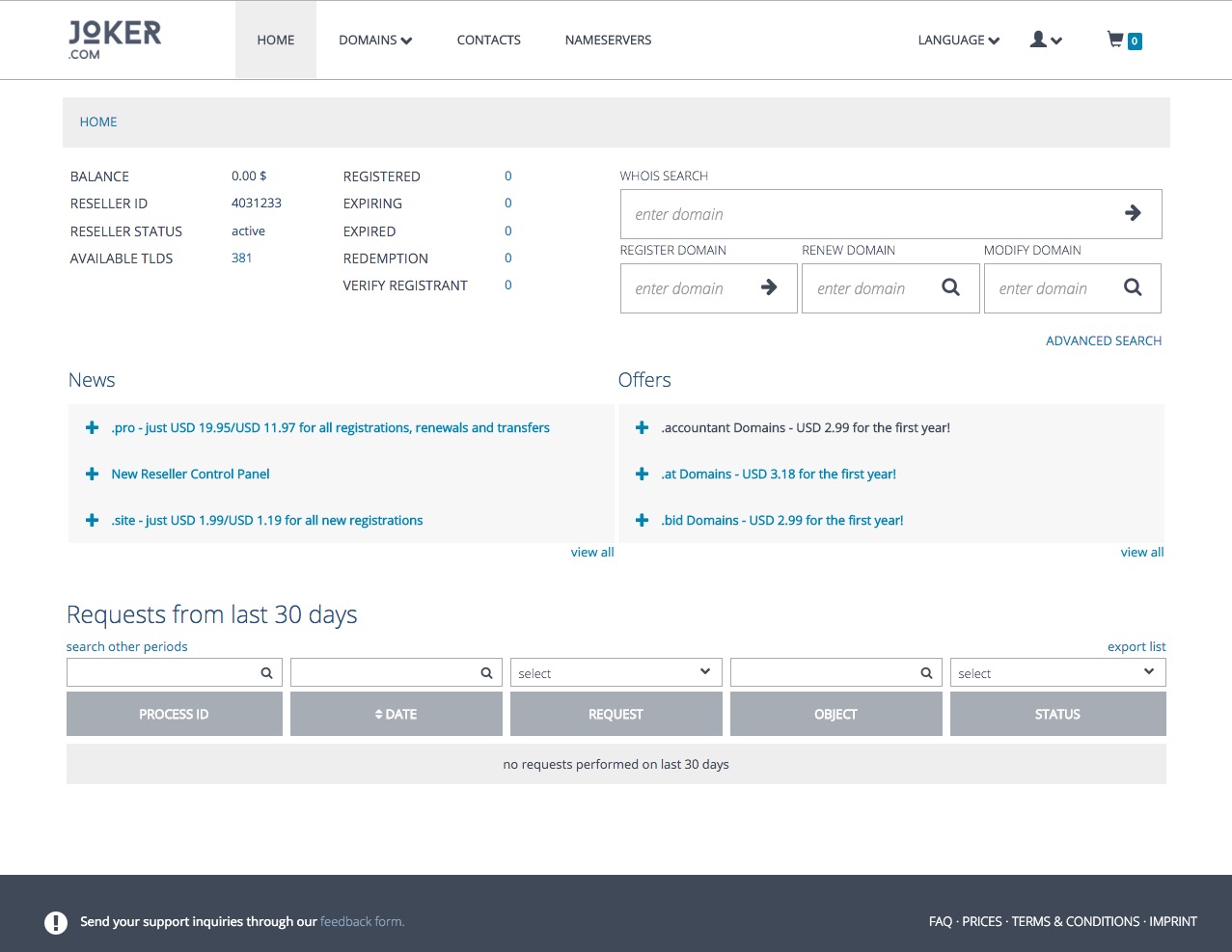
Once logged in, you'll see an overview of your account, your current balance, your ID and information about the number of domains you have. Additionally, current news and promo activities are providded, and a history your activities from the last 30 days is available.
Filtering/searching is always possible using the header input fields on top of the table columns.
- **Domains **
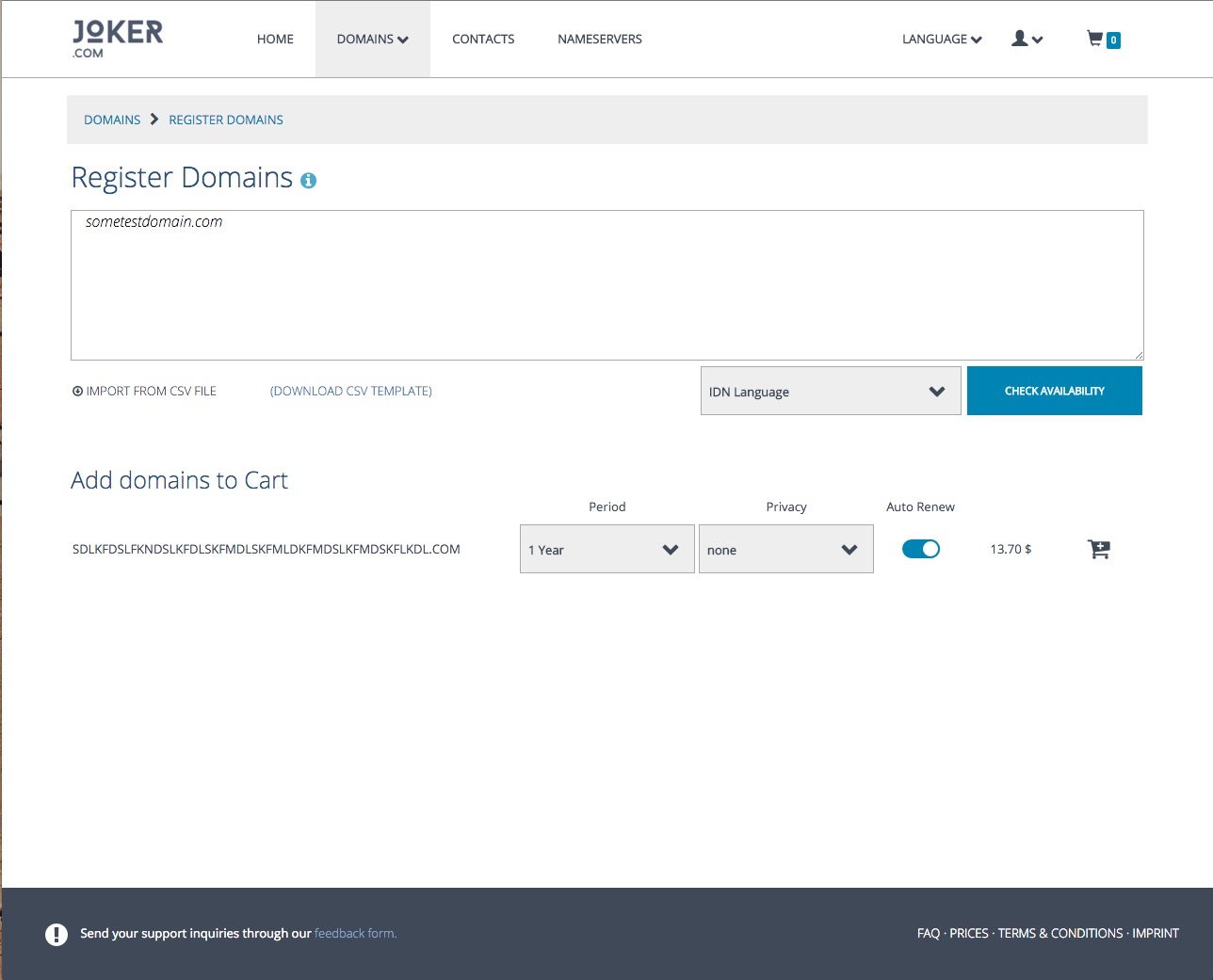
Click on "domains" in the top menu and select "overview". In this view you see all your domains in a table from which you can modify every aspect of the domains. With a click on "register" in the top right corner you are able to register new domains. All these actions can be done from this overview table but you can also select the respective menu item from the domains menu on the top.
- **Contacts**
Click on "contacts" in the top menu to get an overview of all existing contacts. If you click on the contact handle you see all details about this specific contact. Clicking "modify" or "delete" on the right site lets you modify contact info or delete a contact alltogether. Deleting a contact has to be confirmed in the next step. The create button in the top right corner lets you create a new contact.
- **Nameservers**
If you like to add new nameservers you can do this under the menu item "Nameservers". Create new ones or create a template for nameservers which you can use afterwards.
- **Language**
Lets you switch between German and English. Those changes are not persistend. To change the default language, click on the user icon next to "language" and select "settings".
- **Settings**
This is found under the profile icon. From this menu item you can edit your default language, your preferred date/time format, if and when you want to get notified when your balance runs low and if you want to activate or deactive domain autorenew globally.
- **Execute Request**
This is found under the profile icon. Here you can enter and execute DMAPI requests. Please check the DMAPI area in this FAQ for more information on that.
- **Feedback**
This is found under the profile icon. Please provide us with feedback to further improve our new RPanel. Every kind of constructive feedback will be greatly appreciated.
- **Logout**
This is found under the profile icon. You are logged out automatically after a certain time of inactivity. If you are working on a shared computer or want to switch accounts you can log out here.
- **Cart**
If you registered any domains you have to check out your cart. Here you can add whois privacy to your domains if possible, change the registration period, auto renew status and configure the domain(s) (add contact information or nameservers).
# The Joker.com PHP Client
Joker.com provides this tool as an fully working example of how to make use of the Joker.com API (DMAPI).
The **Joker PHP Client** is a lightweight web interface, demonstrating how to implement a full-featured domain handling.
The source code of this web interface is freely available for download on [Github](https://github.com/joker-registrar/rcp-reseller-api-demo/), so that our resellers could run it on their own site! The API used in this tool is called DMAPI and it is a Joker.com domain registration system offered as Web service (**API**).
The Joker PHP Client is also provided as a hosted service by Joker.com, and can be reached as [rcp.joker.com](https://rcp.joker.com/).
Please [try it out](https://rcp.joker.com/). Log in with your Joker.com reseller account, and operate carefully with it as it is completely functional. Your feedback as a reseller will be greatly appreciated and will help us to improve this application.
**Requirements:**
Web server
PHP 7.x
Web browser
**Summary:**
Reseller Control Panel is destined to handle any domain operations
which are offered by the domain registrar Joker.com.
Currently it can:
-
show WHOIS of a domain
-
register domains
-
modify domains
-
transfer domains
-
renew domains
-
delete domains
-
lock/unlock domains (transfer related)
-
initiate redemption procedure
-
create, modify and delete contacts
-
create, modify and delete nameservers
-
zone operations
-
IDN support
-
show reseller information
-
show sumamry of actions executed through the interface
**Download:**
You can get the newest version at [https://github.com/joker-registrar/rcp-reseller-api-demo/](https://github.com/joker-registrar/rcp-reseller-api-demo/).
**Installation:**
Please see Installation of Joker PHP Client, and there is also an INSTALL file in the distribution package.
**Support:**
You can contact us through our support area.
# Installation of Joker.com PHP Client
To successfully install this client application, you need a basic knowledge of Web servers, PHP and file systems.
In principle the installation is only a copy and run. The first thing to do is to ensure, that your Web server runs PHP files, and if not to configure it appropriately.
Quick installation:
1. Untar or unzip the distribution (be sure to unzip the subdirectories):
tar -xzvf package\_name\_x.x.x.tar.gz
in your webserver's document root. If you don't have direct access to your document root, put the files in a directory on your local machine, and transfer the directory on your web server using, for example, ftp.
2. Ensure that all the scripts have the appropriate owner (if PHP is running in safe mode, having some scripts with an owner different from the owner of other scripts will be a problem). Be sure that the application can write log files, temp files and sessions. This means that the folders specified in config.php should be made writeable for the application.
3. This application needs cURL to communicate with DMAPI. You have to have the cURL PHP module enabled. If you run Windows it is provided with every instance of PHP and has to be uncommented in php.ini. Do not forget to restart your webserver after enabling the module. If you run Linux then this module has to be compiled and included. If you wonder how to do this, please read the PHP manual dealing with cURL (http://php.net/curl).
Problems were reported when "zend.ze1\_compatibility\_mode" is set to "on" in PHP 5.2.5. In lower versions this setting caused no problems.
4. It is recommended that you protect the directory in which you installed the client (unless it's on a closed intranet), for example with HTTP-AUTH (in a .htaccess file).
5. Open the file <www.your-host.com>/<your-install-dir>/index.php in your browser. The Joker.com PHP client should now display a welcome screen with a login dialog.
Have fun and don't forget to send feedback!
# Usability Hints
Some notes:
- The default **session duration** of DMAPI (the service behind this interface) is 1 hour. This means that after 1 hour of inactivity, you will be logged out of both DMAPI and Reseller Control Panel, and asked again for your username and password.
- For support issues, please send us your inquiry through our [support area](https://joker.com/goto/support/).