News and Updates
- RPanel.io: Reseller Profile, Orders & DMAPI Key Management
- Rpanel.io Update: Enhanced Dashboard Features
- Rpanel.io Update: Order List and Transfer Overview
- New Feature: Virtual Zones
- RPanel: New Unified Domain Search
- Rpanel.io: Improvements in the Domain Overview
- RPanel Update: Enhanced Registrant Verification Tools
- RPanel.io: New import and export functions for nameserver templates
RPanel.io: Reseller Profile, Orders & DMAPI Key Management
Latest Frontend Additions to our Reseller Portal RPanel.io
Reseller Profile Management Made Easy
Managing your Reseller Profile is now more convenient than ever! With our latest update, you can edit and update your reseller information effortlessly in rpanel.io:
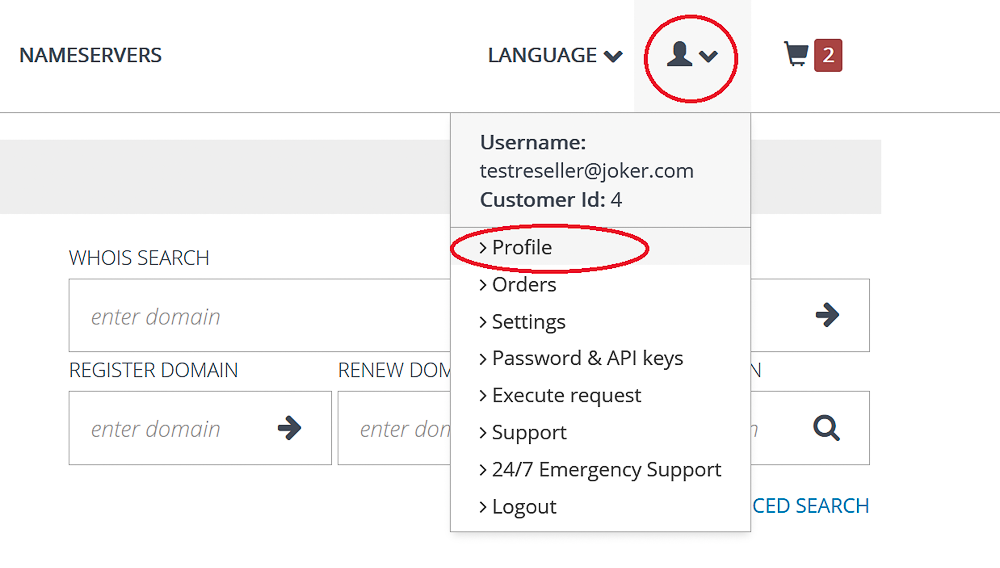
How can you use it? For example:
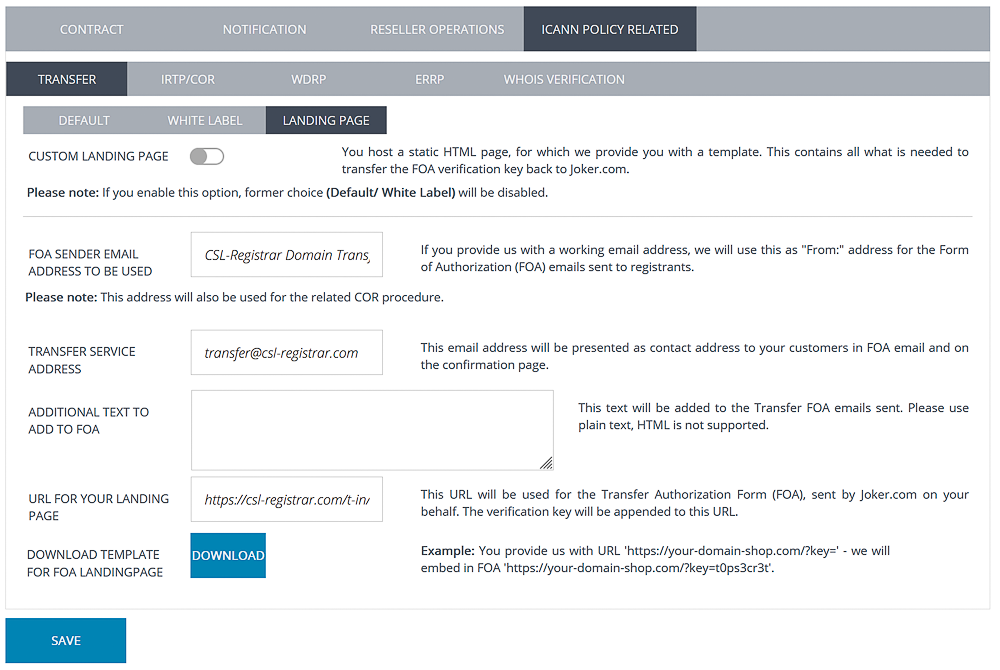
- Customize your WHOIS signature
- Set up white label for notification emails
- Define your landing page for authorization forms
Take full control of your reseller identity and branding - all in one place. Log in to rpanel.io and explore the new feature today!
Smarter Order Management and Export
We’re excited to introduce a new addition to our Reseller's portal, rpanel.io that makes managing your orders easier than ever! You can find it under Orders in the user menu:
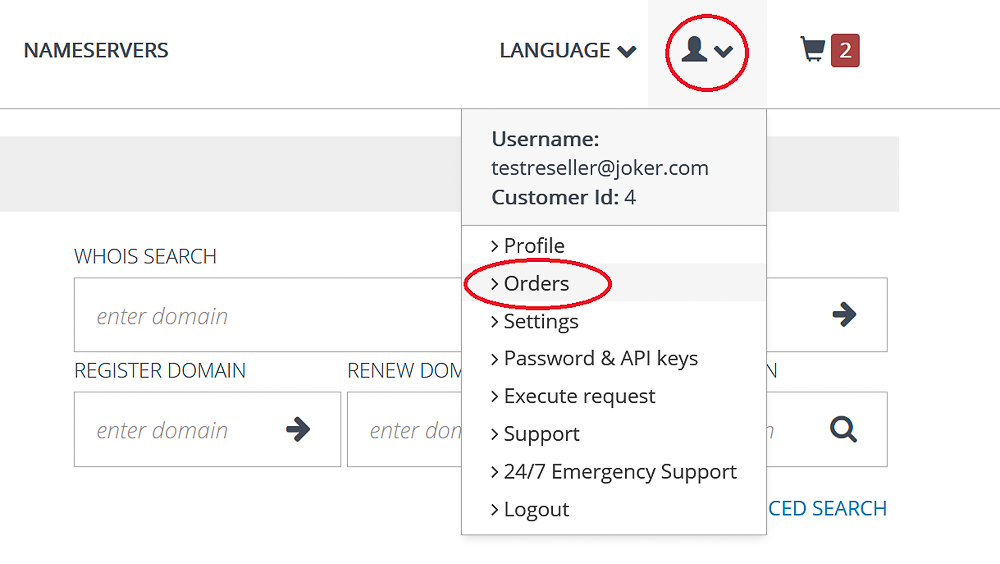
With this latest update, you can now view your orders - both paid and payment-free transactions for the last three months - at a glance. Effortlessly filter them any way you like and download them as a CSV file for seamless record-keeping and analysis:
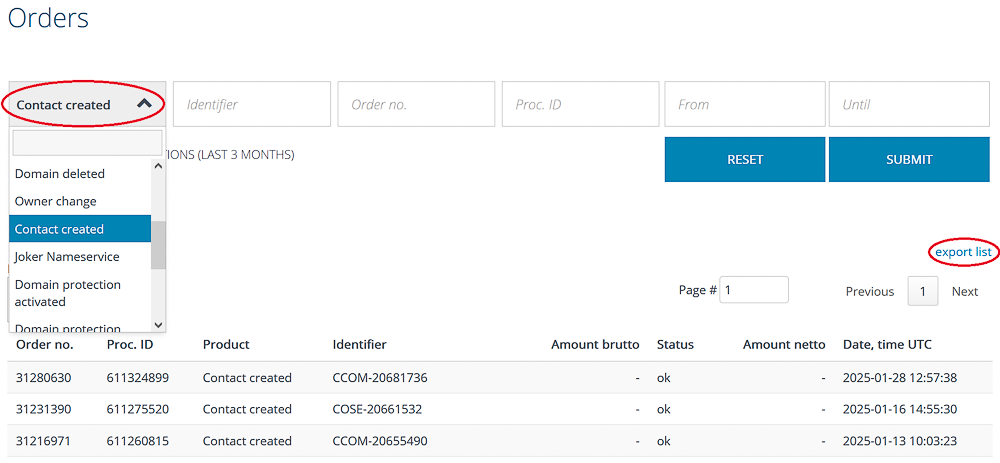
This enhancement gives you more control, better visibility, and improved efficiency in handling transactions. Whether you're tracking payments or organizing order details, rPanel.io now works even harder for you!
DMAPI Key Management
Managing your DMAPI keys just got a whole lot easier! You can access the API keys management section over the user menu:
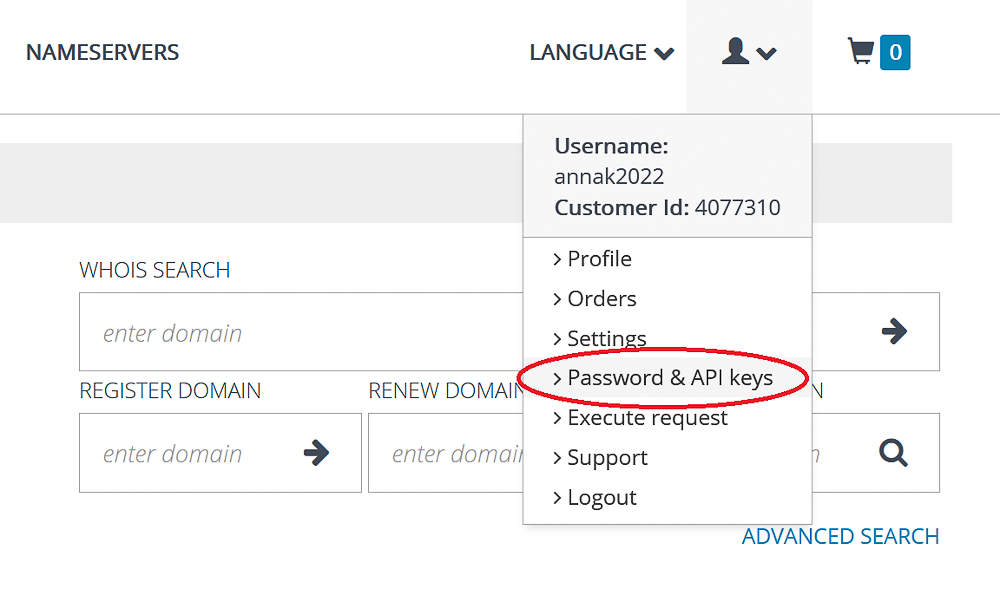
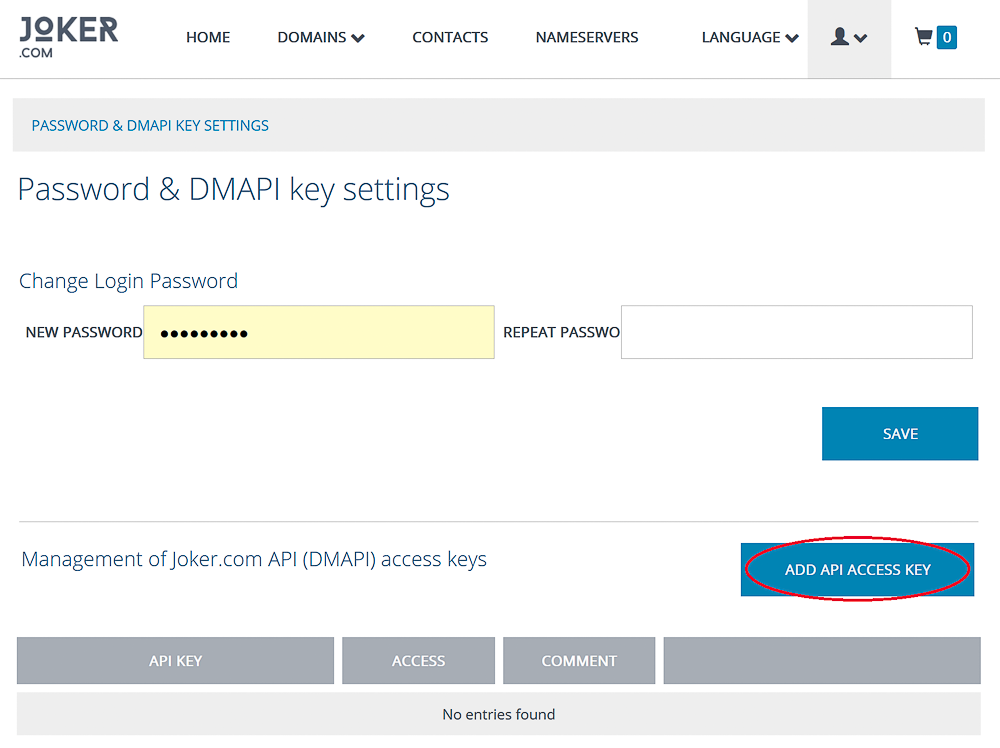
With our latest update, you can now create, delete, and modify API keys directly in rpanel.io - all with customizable access levels.
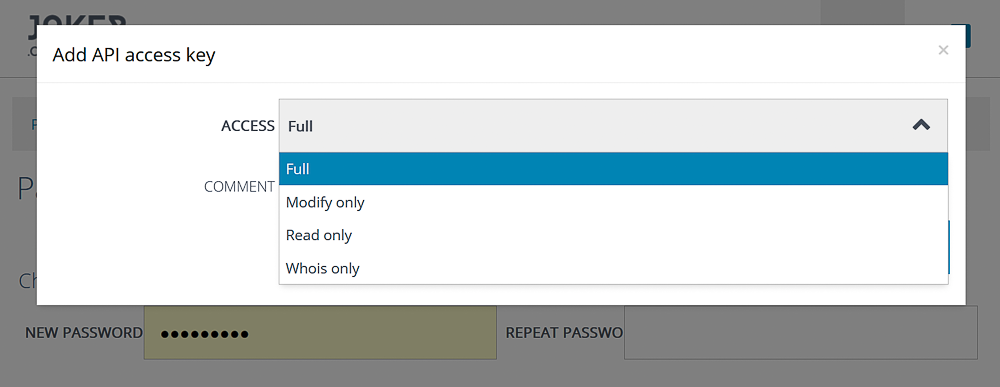
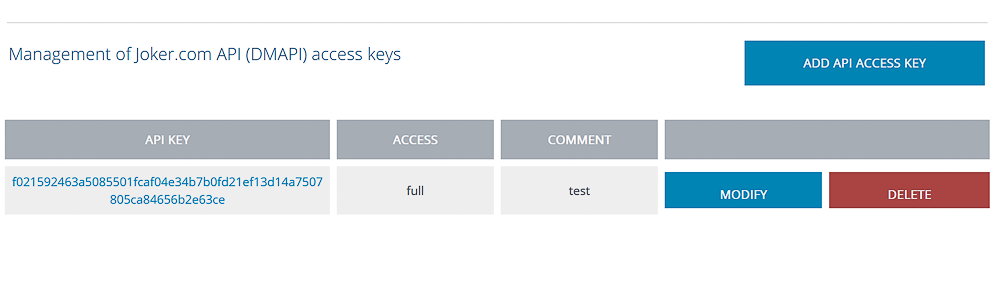
Whether you need full control or limited permissions, this new feature gives you the flexibility to manage your API keys securely and efficiently.
Rpanel.io Update: Enhanced Dashboard Features
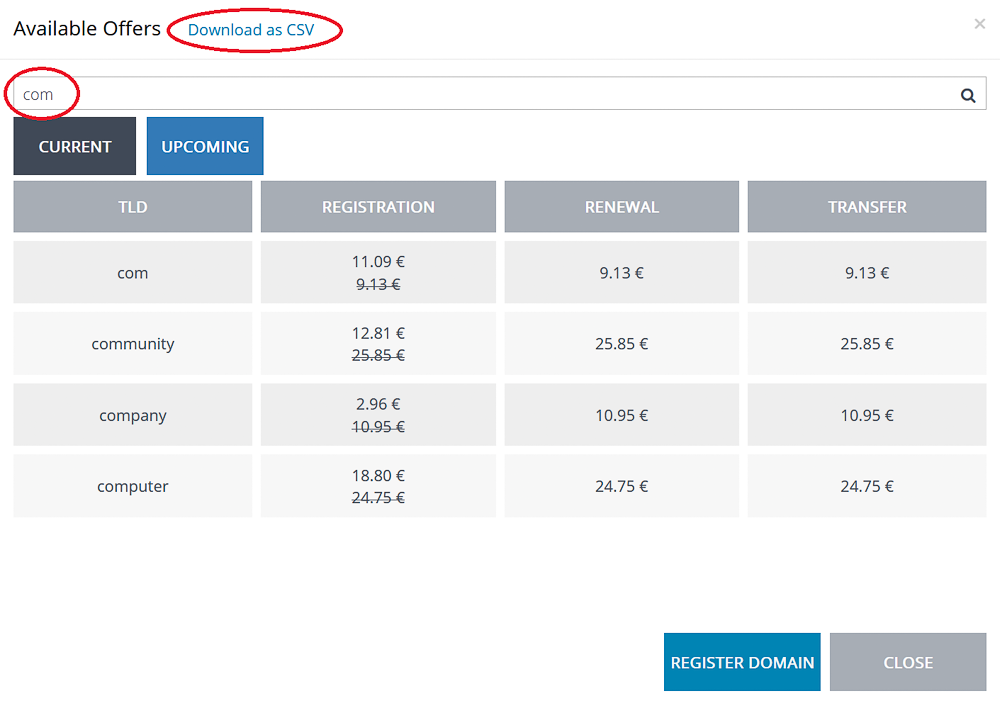
We’ve made some exciting improvements to the Rpanel.io dashboard to make the promotions overview easier to navigate:
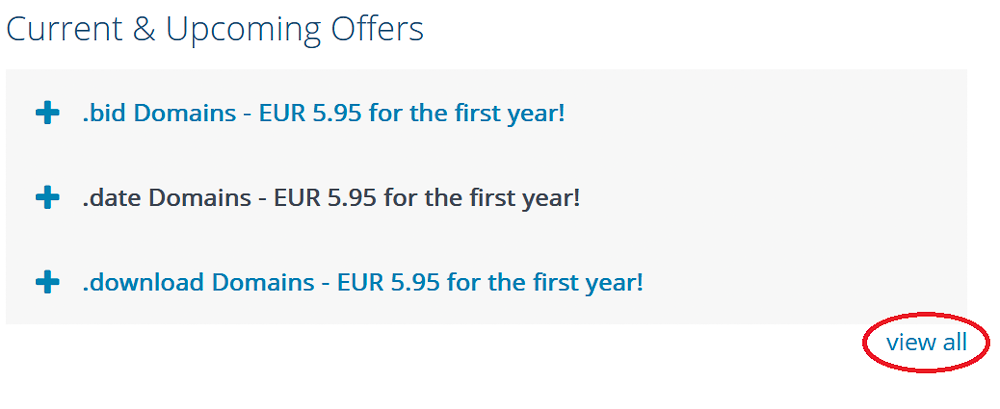
- TLD List Upgrade – Now displays both regular and promotional prices
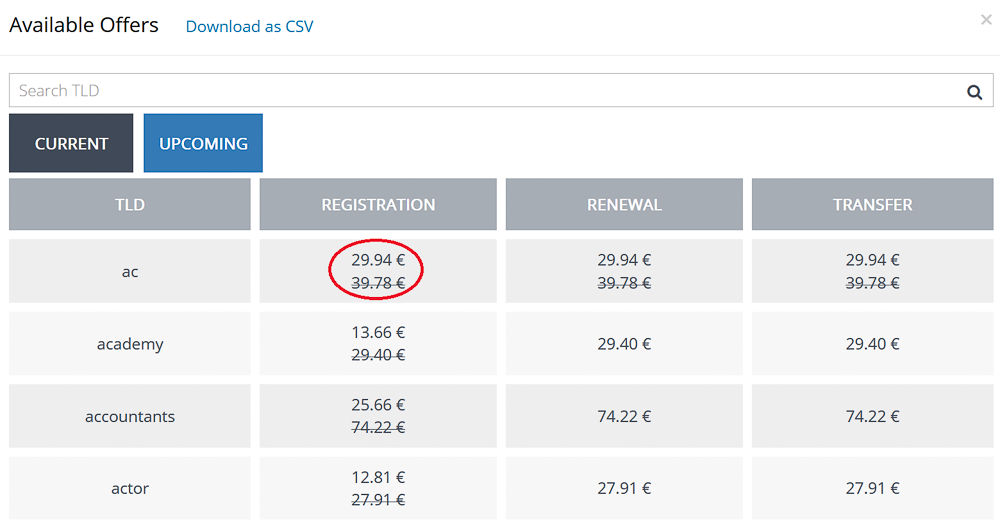
- Promos Section Fixes – Smoother navigation with paging, plus new search and download options.
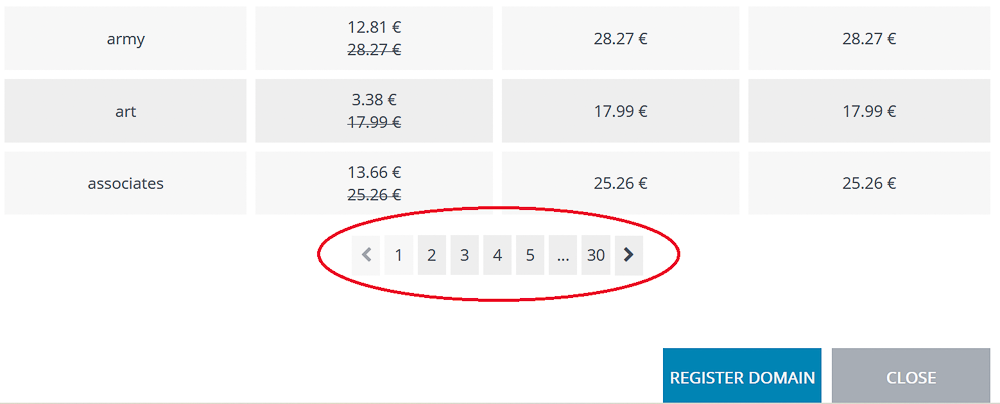
- Upcoming Promos – Easily filter upcoming promotions and download them in just a click.
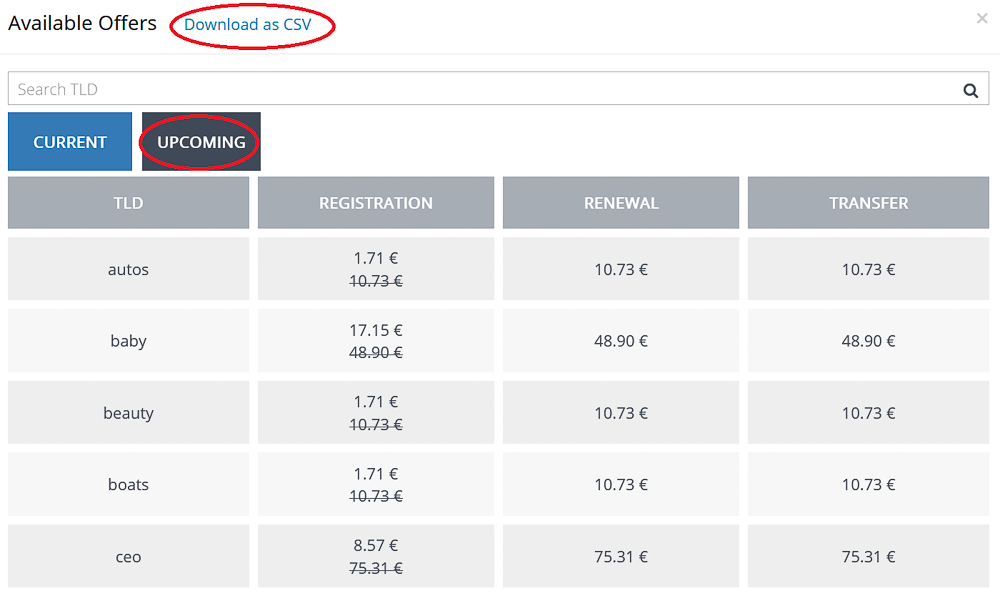
These updates are designed to give you more transparency, flexibility, and a convenient overview of the current and upcoming promotions.
DMAPI Update: Promo Requests
DMAPI now supports retrieving current and upcoming promotions. For full details on usage, please see our FAQ
Rpanel.io Update: Order List and Transfer Overview
Enhanced Order List
We’ve made improvements to the order list to make your workflow smoother:
-
Filter orders by status and/or cost - free or paid operations
-
Export your filtered list as CSV for easy reporting and analysis
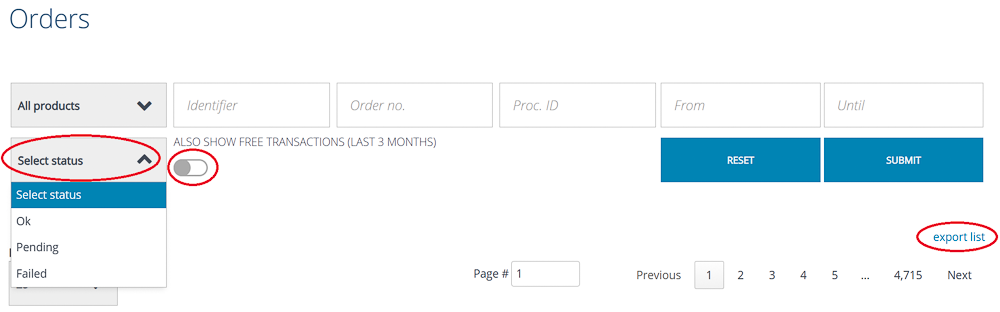
This may be a small addition, but it brings a big boost to usability and efficiency, helping you quickly find what you need and work more effectively.
Track Every Move: New Domain Transfer Overview in Rpanel.io
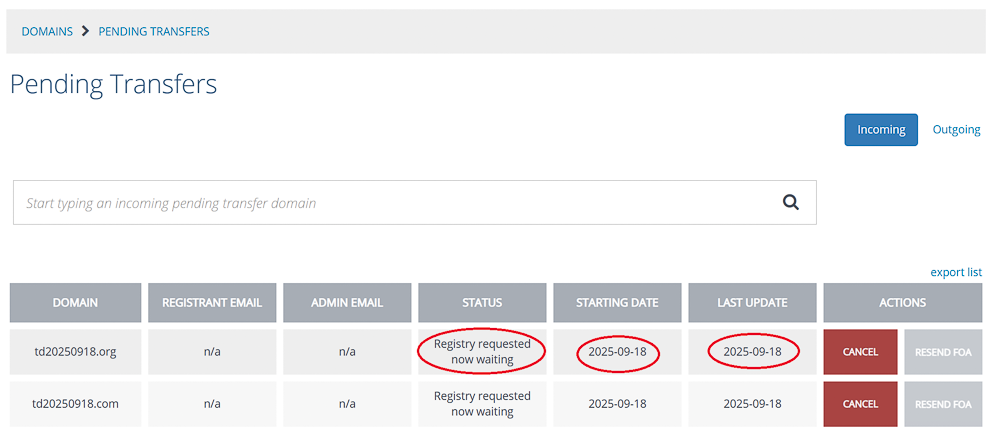
Managing domain transfers just got a whole lot clearer. With the new enhanced transfer overview, you can now:
-
See exact dates for transfers, both in the on-screen list and in CSV exports
-
Get a full picture with an overview of outgoing transfers in addition to incoming ones
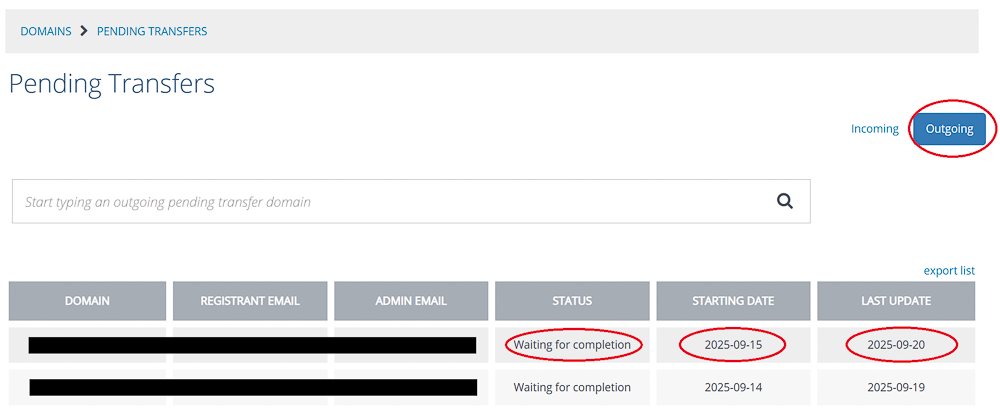
This upgrade gives you complete visibility into your transfer activity, making it easier than ever to track, report, and stay in control of your domains.
New Feature: Virtual Zones
Virtual Zones provide enhanced flexibility and control by allowing you to create and manage DNS zones even if a domain is not yet using Joker.com’s nameservice.
With Virtual Zones, you can:
-
Prepare DNS records in advance before switching nameservers, ensuring a smooth and uninterrupted transition.
-
Set up DNS while a domain transfer is still in progress, so the configuration is ready the moment the transfer completes.
-
Activate Joker.com nameservers instantly once your zone is fully configured - without any downtime.
This feature significantly simplifies and streamlines the process of migrating DNS to Joker.com, making transitions more reliable and secure.
Create Virtual Zone at Rpanel.io
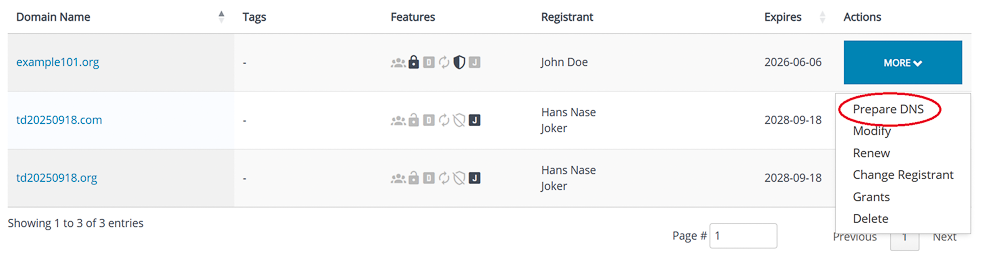
In Domain Overview, click "Prepare DNS":
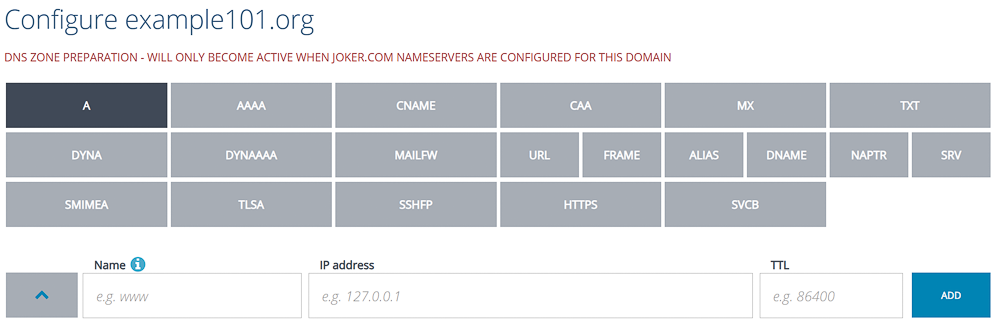
The DNS editor indicates Virtual Zone mode with an additional header:
Add your records, click "Save":
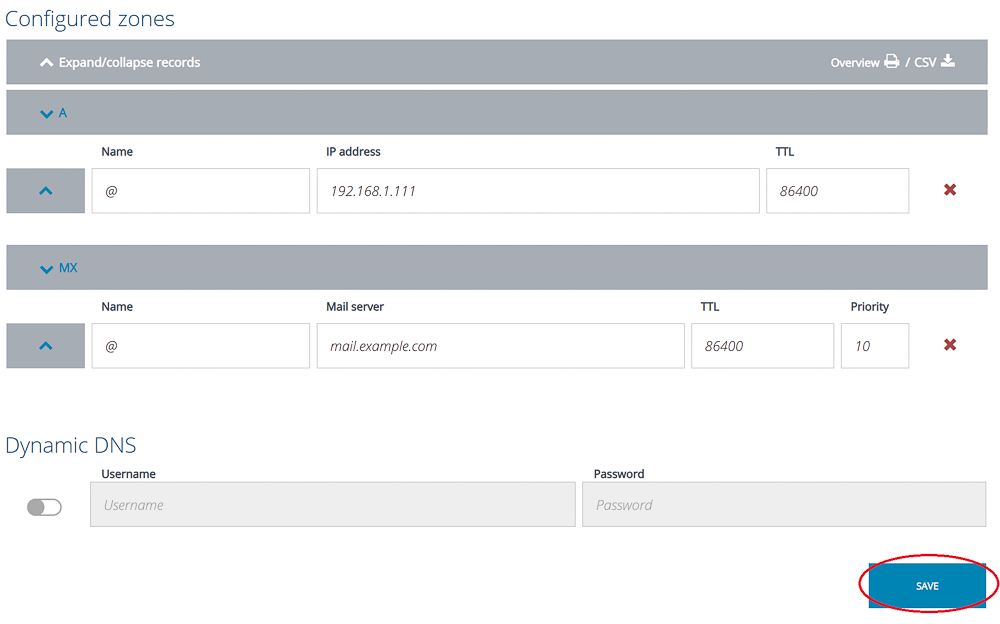
The zone is now prepared and will automatically become active as soon as you switch to the nameservers of Joker.com.
If you prepared the zone before the transfer, it will remain editable even if the transfer is already in process.
Please note: Preparation of zones of domains which do have DNSSEC enabled is not supported. DNSSEC has to be temporarily switched off, before a zone can be prepared.
Please find HERE how to create virtual zones at Joker.com
RPanel: New Unified Domain Search
We’ve upgraded RPanel’s search functionality to make finding domains faster and more flexible than ever.
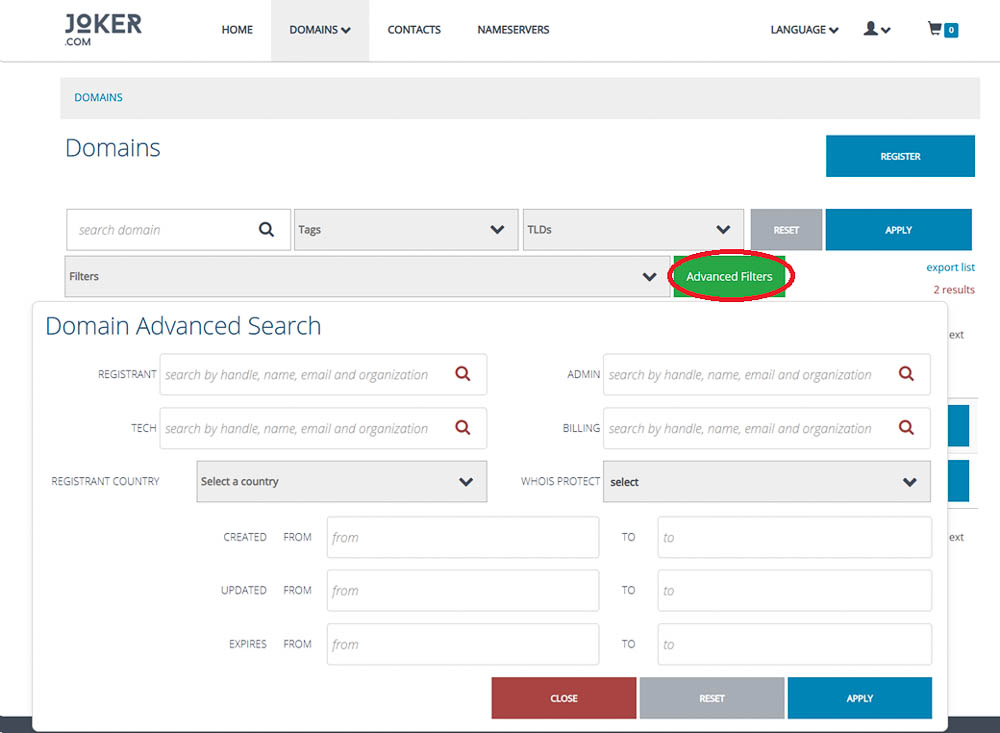
What’s new:
-
Unified search: Standard and advanced search criteria now work together seamlessly, so you can combine multiple filters in a single query.
-
Improved advanced search: Advanced criteria are now integrated with standard search, clearly showing which filters are active. You’ll also see the number of active filters.
-
Powerful queries: Easily search for complex conditions, like domains where the registrant contains ‘John’ and the ‘domain problem’ flag is active, for example, suspended domains.
-
Comprehensive contact search: All contact attributes can now be used in searches, giving you complete control over filtering by registrant, admin, or technical contacts.
Why it matters:
These improvements save time, reduce errors, and facilitate easier management of large portfolios. Whether you’re troubleshooting, analysing domains, or supporting clients, RPanel now gives you the full picture - faster and more efficiently.
Rpanel.io: Improvements in the Domain Overview
We’ve upgraded the Rpanel.io domain overview to make managing large domain portfolios faster, clearer, and more intuitive. The improved interface now includes a richer set of filters, allowing you to pinpoint exactly the domains you need to review or update.
New and Enhanced Filters
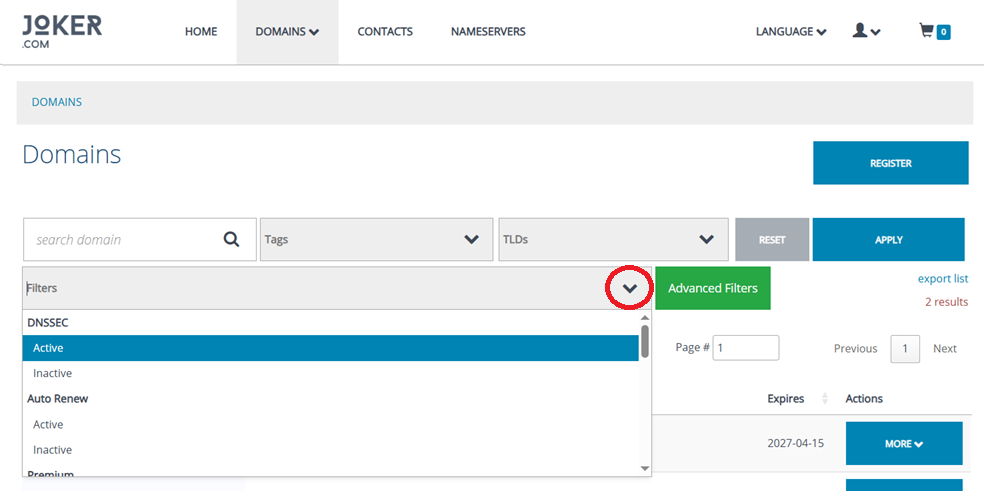
You can now filter domains by:
-
DNSSEC Status – See whether DNSSEC is active or inactive at a glance.
-
Auto-Renew Status – Quickly find domains with auto-renew turned on or off.
-
Premium Domain Flag – Filter premium vs. non-premium domains easily.
-
Domain Problems – Identify domains requiring attention, such as suspended, invalid address, or unverified status.
-
Expiration Status – Instantly view which domains are expired or still active.
-
Redemption Grace Period (RGP) – Check whether domains are currently in RGP.
-
Joker Nameservers Usage – Find domains using or not using Joker.com default nameservers.
-
Domain Lock – Filter by locked or unlocked domains for easier transfer preparations.
-
Privacy Protection – Sort domains based on whether WHOIS privacy is enabled or disabled.
These additions make it significantly easier to audit your portfolio, generate reports, and take bulk actions with precision.
RPanel Update: Enhanced Registrant Verification Tools
We’re excited to introduce a new improvement to the Registrant Verification section in rpanel.io - designed to make verification management faster, clearer, and more efficient for our resellers.
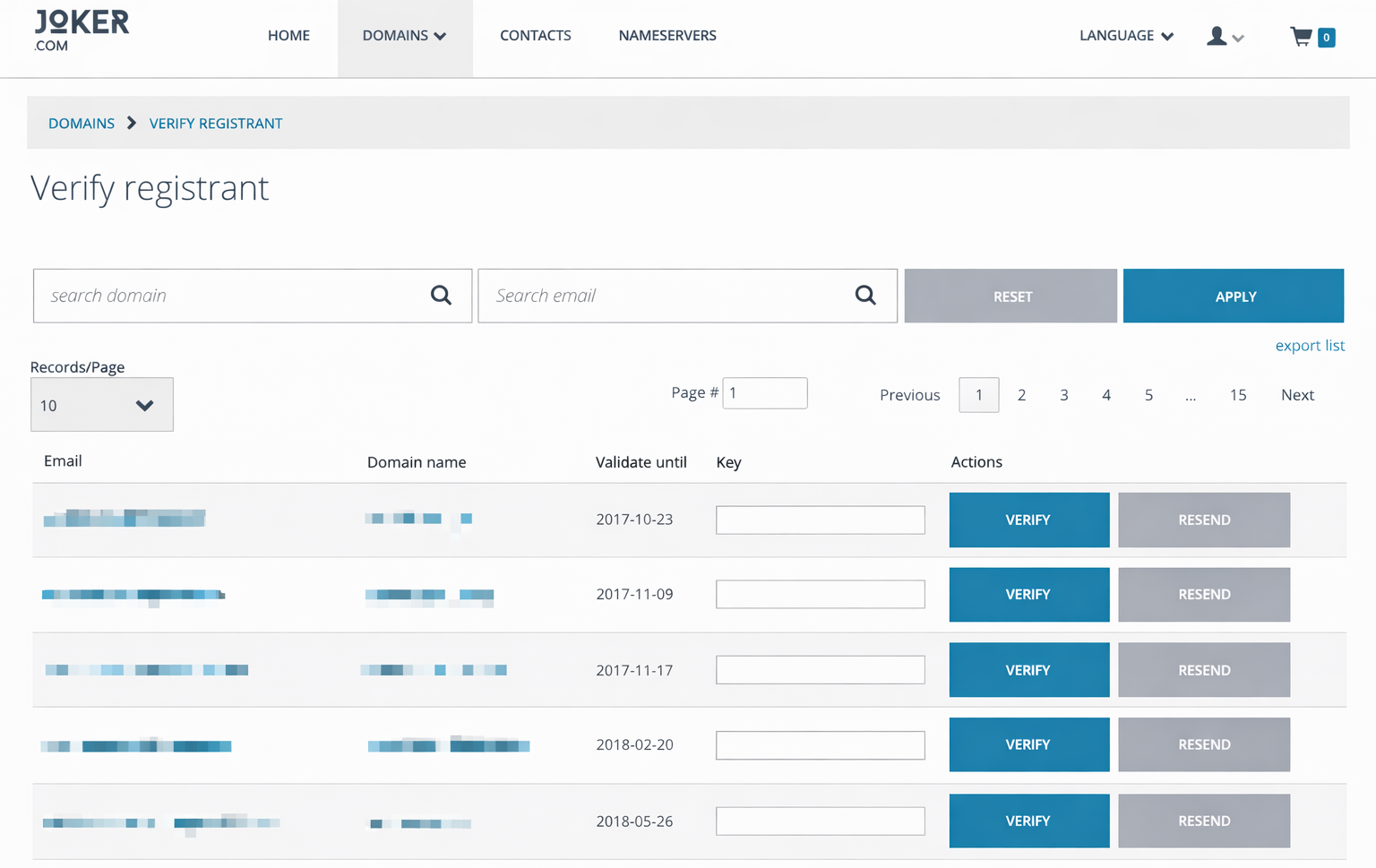
What’s New?
You can now search and filter verification records directly by:
- Domain name
- Email address
This enhancement makes it significantly easier to identify specific verification tasks, especially for resellers managing a large volume of registrations. No more scrolling through long lists - simply enter the domain or email you’re looking for and get instant results.
RPanel.io: New import and export functions for nameserver templates
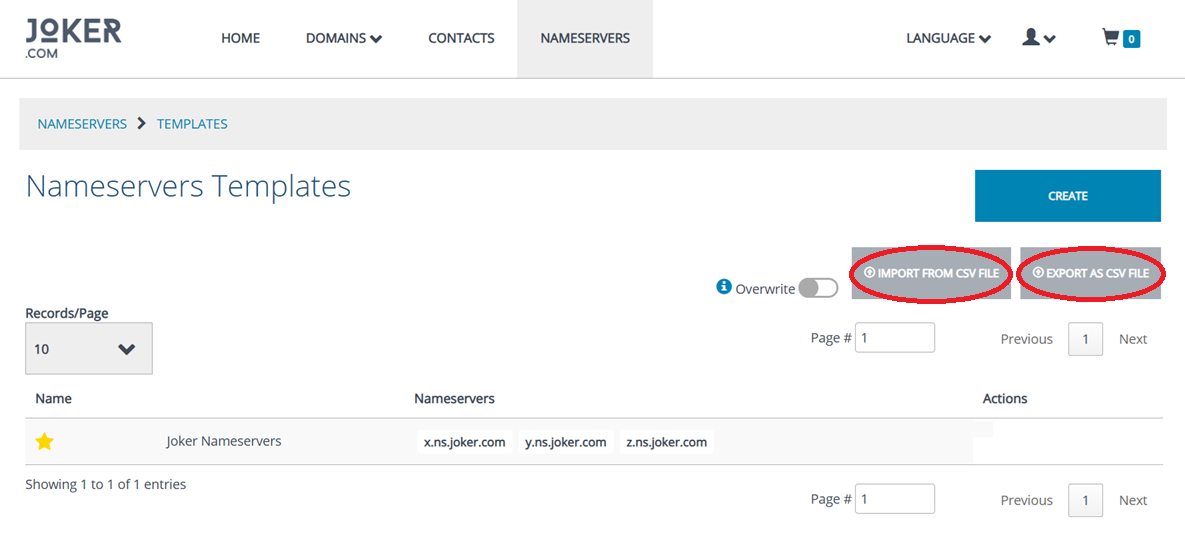
RPanel now allows you to export nameserver templates as CSV files and import them again when needed.
This makes it easier to back up your existing templates, transfer them between different reseller accounts, or edit multiple records locally before uploading the updated CSV file back to RPanel.
The new functions are especially useful for resellers managing several accounts or larger sets of nameserver templates, reducing the need to recreate or update templates manually.