New Feature: Virtual Zones
We’re excited to introduce Virtual Zones — a new feature that gives you more flexibility and control over your domain management!
Domains that do not currently use Joker.com’s nameservice can now create or edit DNS zones directly from your Dashboard.
What does this mean for you?
- Preconfigure DNS records before switching nameservers — ensuring a seamless transition with no service interruption.
- Prepare your DNS setup even while a transfer to Joker.com is pending, so your domain is ready the moment the transfer completes.
- Switch to Joker.com nameservers instantly once your zone is configured — no downtime, no hassle.
This feature makes it easier than ever to migrate your DNS to Joker.com smoothly and securely.
Create Virtual Zone at Joker.com
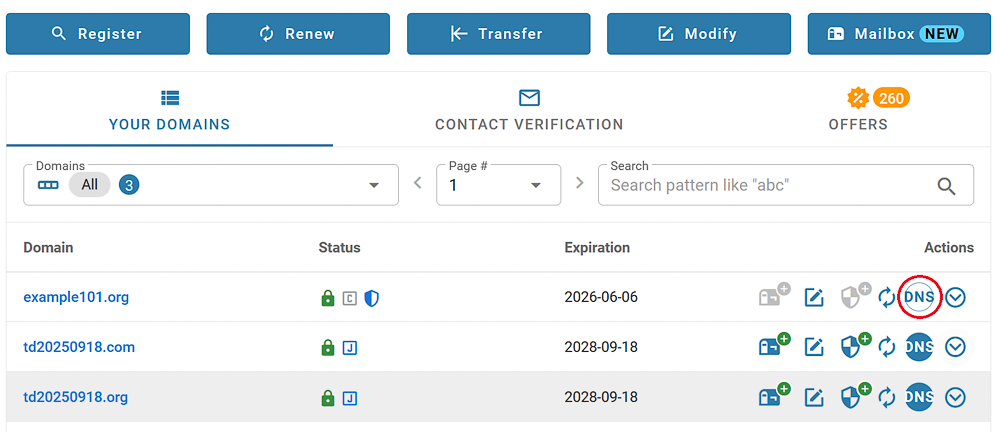
On your dashboard, click on "DNS" next to the domain name. If the domain is not using Joker.com nameservice, the button will be white:
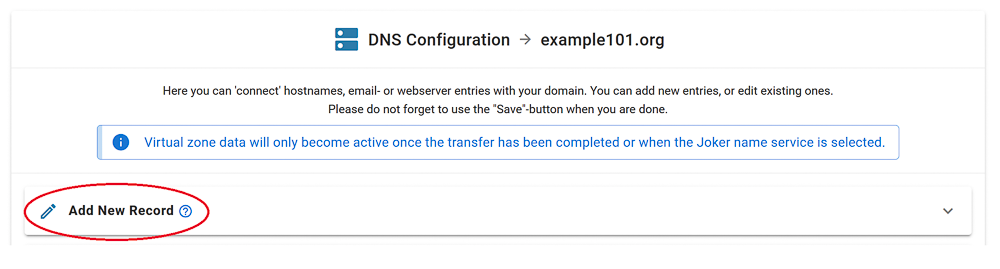
The DNS editor indicates Virtual Zone mode with an additional header:
Add your records, click "Save changes":
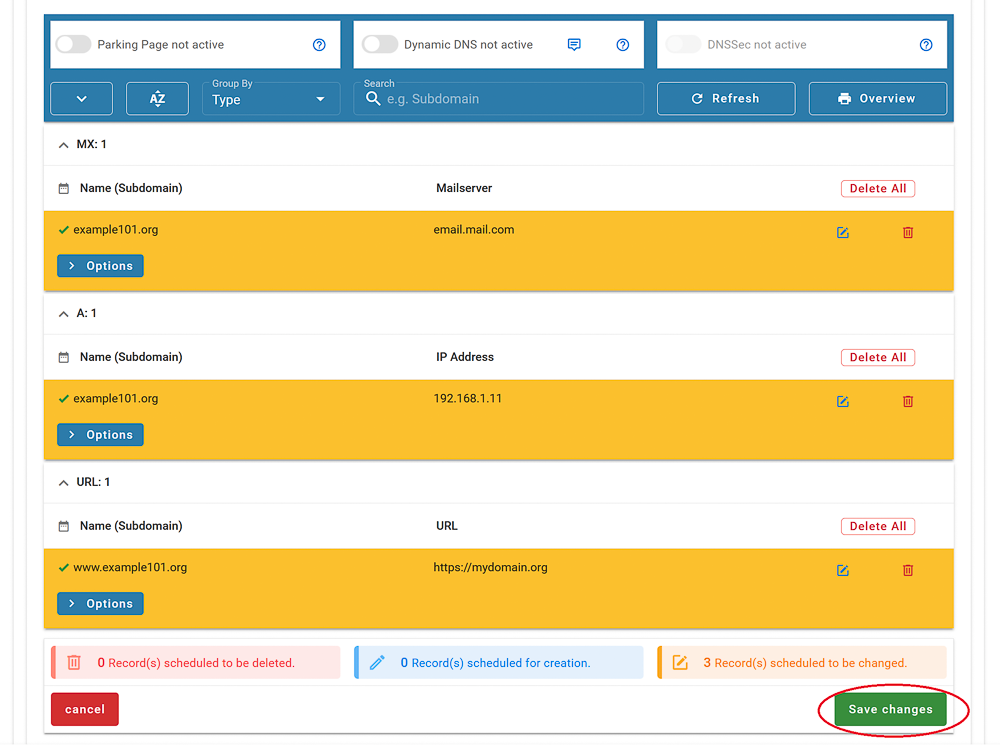
You're done, the zone is prepared, and will be immediately active once you switch to Joker.com nameservers.
If you prepared the zone before the transfer, it will remain editable even if the transfer is already in process.
Please note: Preparation of zones of domains which do have DNSSEC enabled is not supported. DNSSEC has to be temporarily switched off, before a zone can be prepared.
Reseller: Please find HERE how to create virtual zones at Rpanel.io