Creating and Modifying Contacts
To add or modify Domain Contacts, follow these steps:
1. Log in to Joker.com using your login name and password.
2. In the menu "My Joker", select "Contacts".
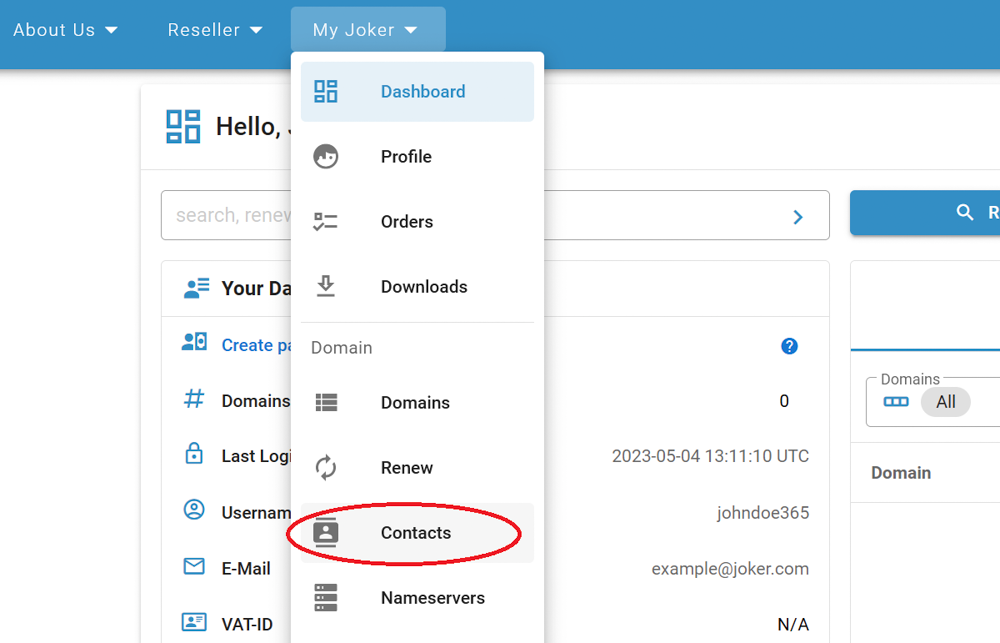
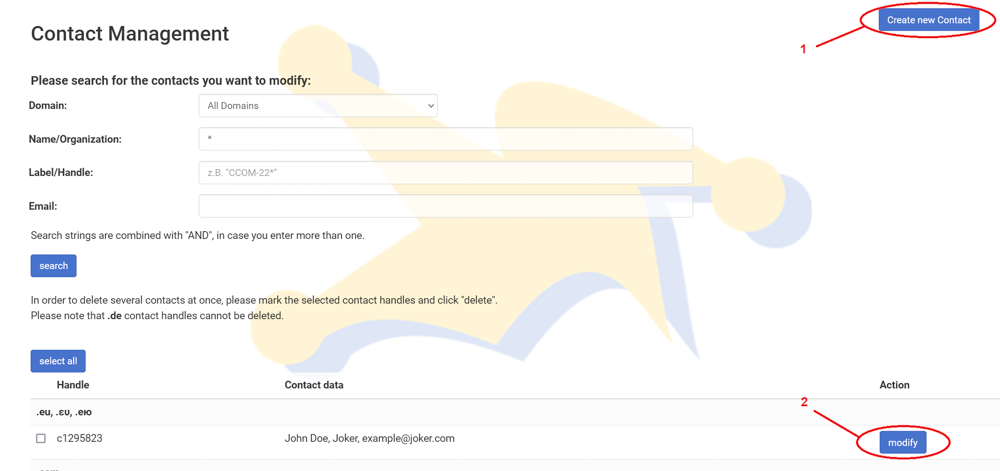
3. You will see a list of all your contacts.
To create a new contact, click on the "Create New Contact" button located at the top right corner (1). To modify any of them, click on "Modify" (2).
4. Fill out the form, and click "Proceed."
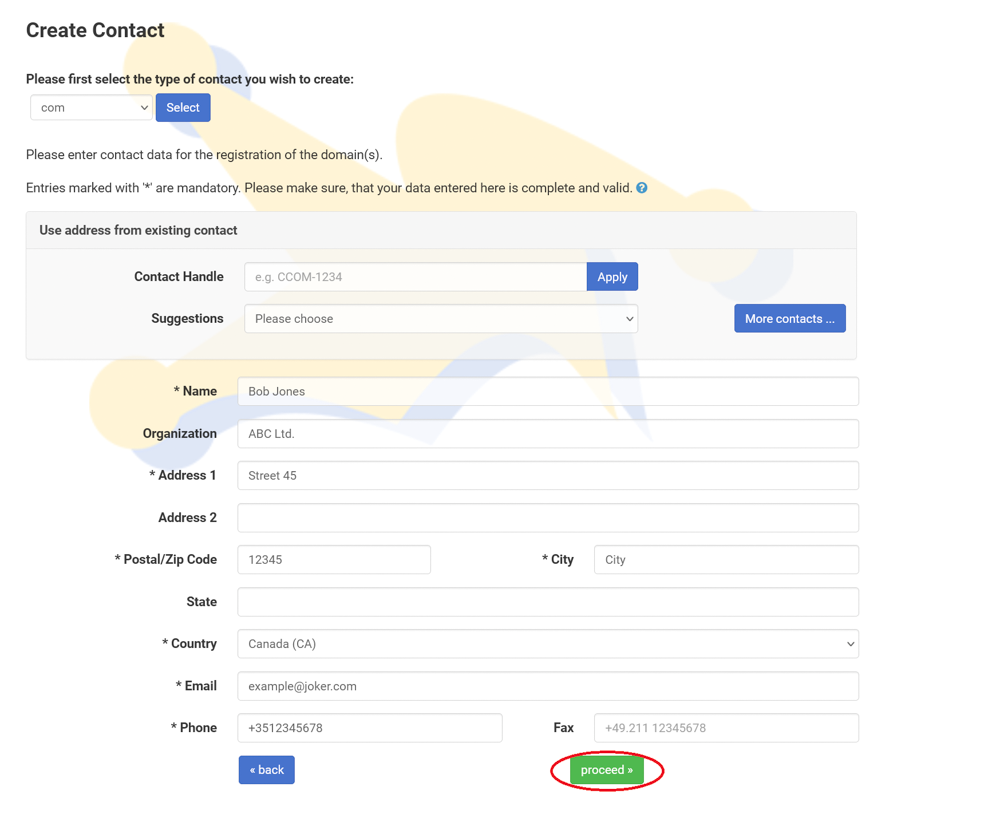
Please note the following:
- A contact is a template consisting of an email, name, and street address.
- When you populate a domain with Whois data, you create or choose a contact and assign it to the domain.
- You can assign individual contacts to each domain or use a single contact for multiple domains.
- If you make changes to a contact that is assigned to multiple domains, those changes will apply to all domains associated with that contact.
- Each contact has a unique identifier called "contact-id" or 'handle'. Examples include "CCOM-12345" for .com domains or "CODE-12345" for .de domains.
For a complete list of contact handle prefixes used across all TLDs, please refer to the Contact Prefix Reference Table